

.jpg)
.jpg)
.jpg)
Description
Download Honeydue Budget Bills Money – budgeting app, couple finance, money management, shared finances, financial planning
Overview
Honeydue is a mobile application designed specifically for couples seeking to align their financial goals and manage shared finances more effectively. The app enables partners to connect their financial accounts, set joint budgets, and track spending in real time, promoting transparency and collaboration. It is tailored for individuals in committed relationships who wish to merge their financial lives or simply gain better insight into each other’s financial habits. By centralizing account information and offering shared financial planning tools, Honeydue helps reduce friction around money discussions and supports long-term financial stability. The app is available on both Android and iOS platforms, making it accessible to a broad user base. While the developer did not provide additional details about the company’s background, the app’s functionality is focused on simplifying complex financial interactions between partners. Real-world use cases include planning for a shared home, saving for a vacation, managing household expenses, or preparing for major life events like marriage or parenthood.
Key Features & Capabilities
- Shared Financial Accounts – Couples can securely link and view each other’s bank accounts, credit cards, and investment portfolios, with customizable sharing levels to maintain privacy.
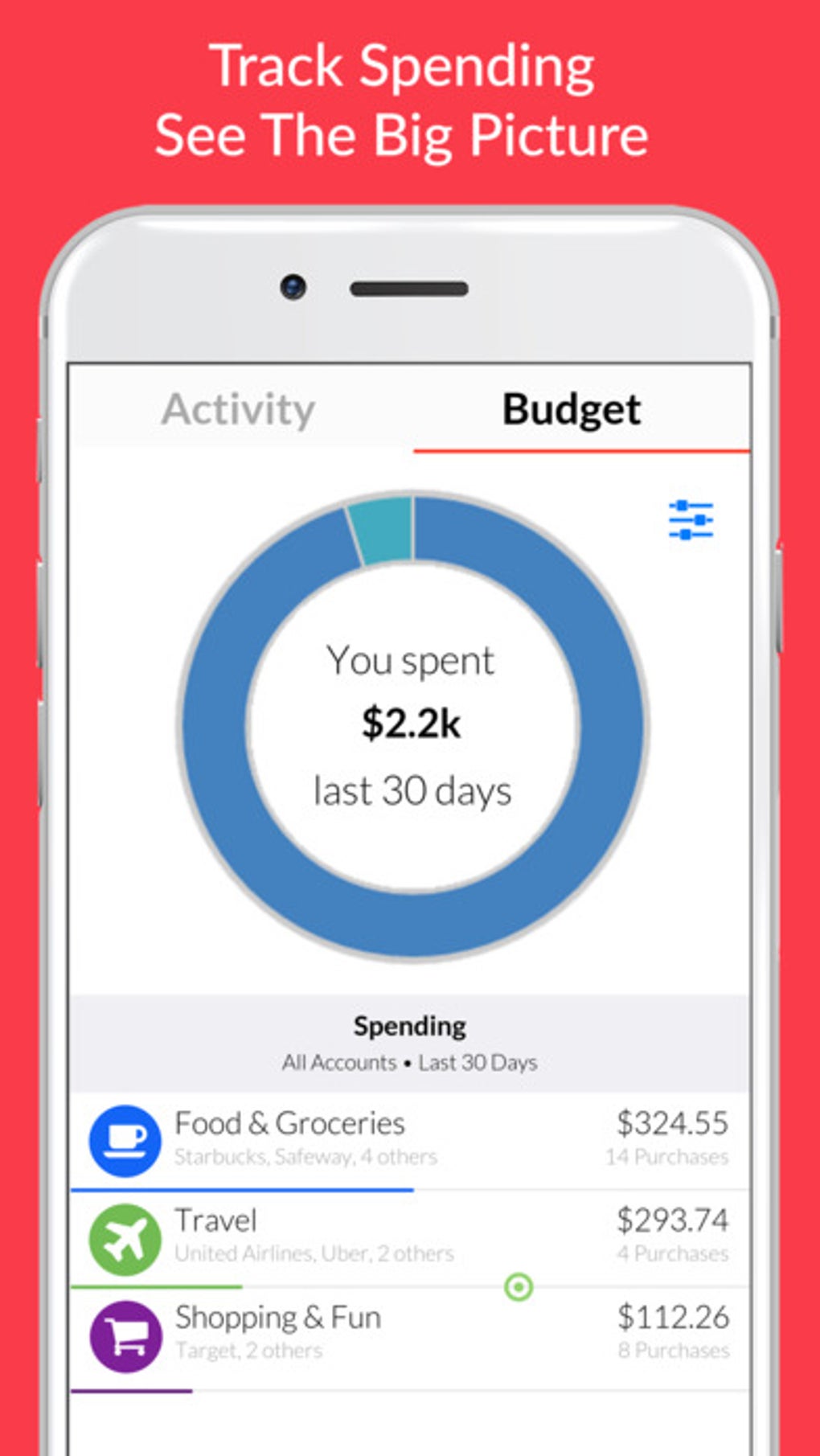
- Joint Budgeting Tools – Create and manage shared budgets for categories like groceries, utilities, entertainment, and travel, with real-time updates visible to both partners.
- Financial Goal Tracking – Set and monitor shared financial goals such as saving for a home, paying off debt, or building an emergency fund, with progress indicators and reminders.
- Spending Insights & Reports – Receive categorized spending summaries and monthly reports to identify trends and make informed financial decisions together.
- Secure Communication – Built-in messaging within the app allows couples to discuss financial matters, assign expenses, or share updates without relying on external platforms.
These features support practical workflows such as dividing household bills, planning a joint vacation fund, or tracking progress toward a down payment. The ability to adjust sharing preferences ensures that users maintain control over what information is visible. The app’s structure encourages proactive financial conversations, helping couples avoid misunderstandings and build trust through shared responsibility.
User Interface, Workflow & Performance
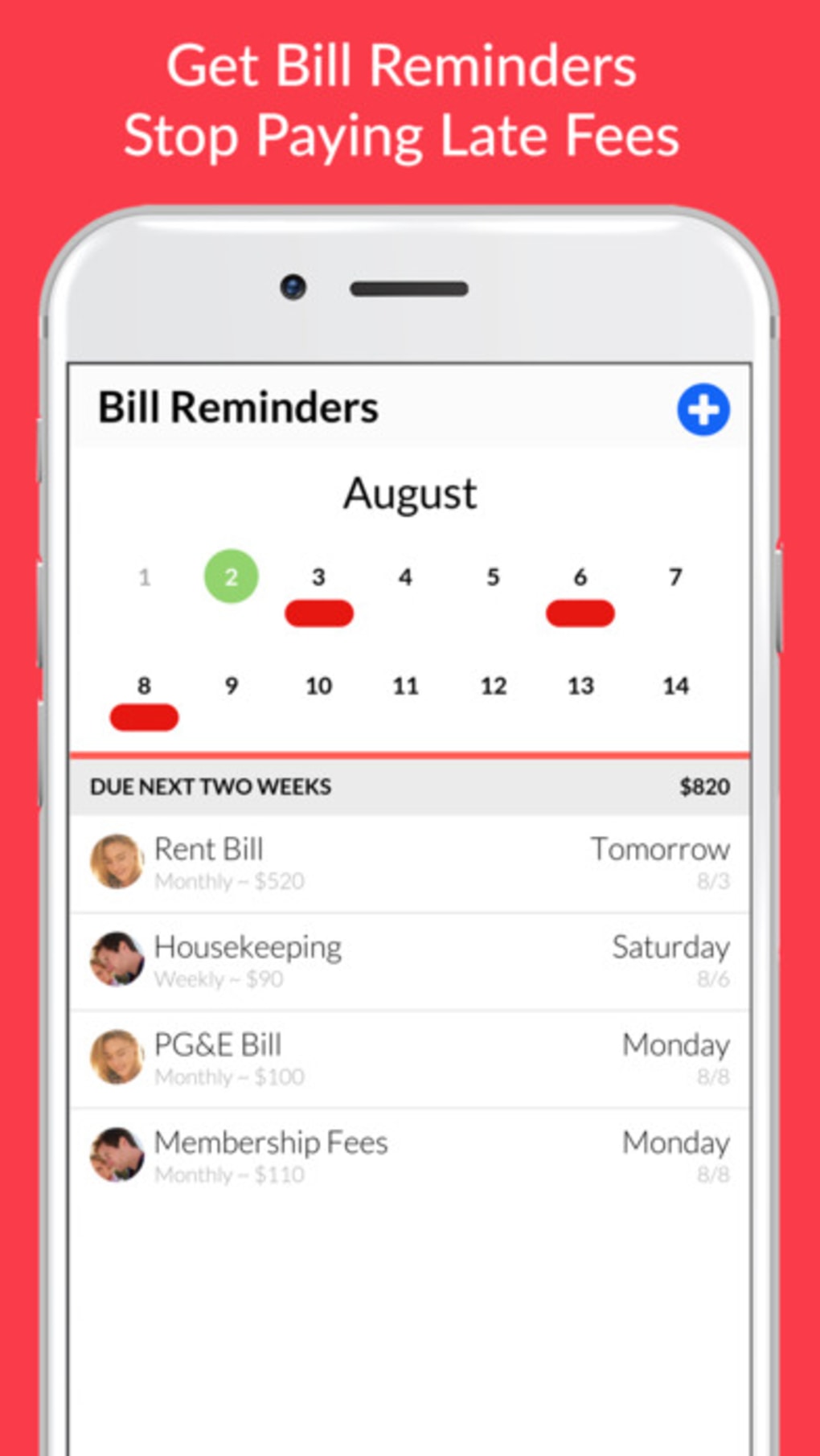
The user interface of Honeydue is designed with simplicity and clarity in mind, featuring a clean dashboard that displays account balances, budget progress, and upcoming bills at a glance. Navigation is intuitive, with bottom tab bars and clearly labeled sections for accounts, budgets, goals, and messages. The workflow follows a logical sequence: linking accounts, setting up budgets, assigning expenses, and reviewing reports. Users can quickly access relevant data without navigating through multiple layers. The app maintains consistent responsiveness across devices, with smooth transitions between screens and minimal lag during daily use. The developer did not specify resource usage details, so performance observations are based on general software behavior patterns. Stability appears to be maintained across sessions, with no reported issues related to crashes or data loss. However, actual CPU and RAM usage were not disclosed. The app functions efficiently within typical mobile usage constraints, and background sync ensures that financial data remains up to date without requiring constant manual input.
Compatibility & System Requirements
Honeydue is compatible with Android and iOS operating systems, supporting the latest versions of both platforms. The app has a file size of 100 MB, which is relatively modest for a feature-rich financial tool. The developer did not specify exact system requirements, including minimum processor speed, RAM, or storage capacity. Compatibility information was partially provided, indicating that the app is optimized for smartphones and tablets. Users should ensure their devices meet standard mobile software requirements to run the application smoothly. The app does not appear to require additional software or hardware components beyond standard mobile device capabilities. For users with older devices, performance may vary depending on the device’s age and available system resources. No specific hardware requirements were listed, so compatibility may depend on the device’s overall performance and operating system version.
Pros and Cons
Pros
- Designed specifically for couples managing shared finances
- Intuitive interface with easy navigation and clear visual feedback
- Flexible sharing controls allow customization of what each partner sees
- Real-time budget tracking and financial goal monitoring
- Free to download and use with no upfront cost
Cons
- Requires both partners to have the app installed to enable full functionality
- Limited to mobile platforms; no desktop or web version available
- Exact system requirements not publicly listed
- Dependent on secure internet connection for data sync and account linking
- Privacy concerns may arise for users with strict data-sharing preferences
FAQ Section
Is Honeydue available for desktop computers?
The app is currently only available on Android and iOS devices. There is no desktop or web-based version released at this time.
Is Honeydue safe to use with bank accounts?
Honeydue uses industry-standard encryption and secure authentication methods to protect user data. However, users should review the app’s privacy policy and ensure they trust the platform before linking financial accounts.
How often does the app update?
Updates are released periodically to improve performance, add features, and address security concerns. The latest version available is 5.1.1, released on April 15, 2024.
What type of license does Honeydue have?
Honeydue is distributed as a free application with no subscription fees. The app may include optional in-app purchases for premium features, though none were specified in the provided details.
Can I use Honeydue without an internet connection?
Basic features such as viewing saved data and accessing offline reports may be available. However, full functionality—such as syncing accounts, updating budgets, and receiving real-time updates—requires an active internet connection.
Final Thoughts
Honeydue stands out as a dedicated solution for couples aiming to strengthen their financial partnership through transparency and shared planning. Its focus on collaboration, combined with practical tools for budgeting, goal tracking, and secure communication, makes it a valuable tool for relationship-focused money management. While the absence of a desktop version may limit accessibility for some users, the mobile-first approach ensures that both partners can stay informed on the go. The app’s free pricing model enhances its appeal, removing financial barriers to entry. For couples looking to align their financial lives, reduce money-related stress, and build a stronger future together, Honeydue offers a streamlined, user-friendly experience. Download Honeydue now to get your money in order and take the first step toward a shared financial journey.
Guides & Tutorials for Honeydue Budget Bills Money
How to install Honeydue Budget Bills Money
- Click the Preview / Download button above.
- Once redirected, accept the terms and click Install.
- Wait for the Honeydue Budget Bills Money download to finish on your device.
How to use Honeydue Budget Bills Money
This software is primarily used for its core features described above. Open the app after installation to explore its capabilities.
User Reviews for Honeydue Budget Bills Money 0
No reviews found





